
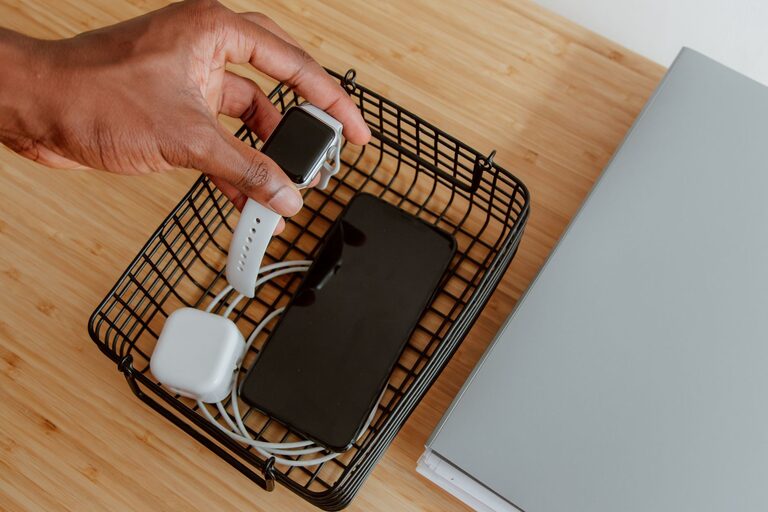
Setting up a charging station for your devices is a smart way to keep your gadgets organized, charged, and ready to go. Whether you have smartphones, tablets, smartwatches, or other rechargeable devices, having a dedicated space to power them can save time and reduce clutter. In this guide, we’ll walk you through everything you need to know to create an efficient, safe, and user-friendly charging station at home.
Why Have a Charging Station?
Before diving into the setup, it helps to understand the benefits:
– Organization: Keeps cables and devices in one place.
– Convenience: Makes charging devices easy and quick.
– Safety: Reduces the risk of electrical hazards.
– Aesthetics: A tidy space looks better and minimizes clutter.
Step 1: Choose the Right Location
The first step is selecting a suitable spot for your charging station. Here are some tips to pick the best location:
– Central and Accessible: A common room like the living room, kitchen counter, or home office desk works well.
– Near Power Outlets: Ensure the spot has enough electrical outlets nearby for all your devices.
– Flat Surface: A stable shelf, desk, or small table avoids devices falling.
– Good Ventilation: Avoid cramped spaces to prevent devices and chargers from overheating.
Step 2: Gather Your Supplies
You’ll need a few items to create a functional charging station:
– Power Strip or Charging Hub: A power strip with multiple outlets or a USB charging hub is essential.
– Charging Cables: Use cables compatible with your devices (USB-C, Lightning, Micro-USB).
– Cable Organizers: Clips, ties, or sleeves to keep cords neat.
– Container or Dock: A box, tray, or docking station to hold the devices.
– Labeling Materials (optional): Tags or stickers to identify cables or device slots.
Step 3: Select the Right Charging Equipment
There are different options depending on your device mix:
– Multi-Port USB Charger: Ideal for charging several USB-powered devices simultaneously.
– Wireless Charging Pads: Convenient for compatible smartphones and earbuds.
– Charging Docks: Designed to hold and charge specific devices like phones or smartwatches.
– Power Strip with Surge Protection: Protects devices from electrical spikes and provides multiple sockets.
Consider the number of devices you usually charge at once and choose equipment with enough ports and wattage. Fast-charging support can be a plus.
Step 4: Organize the Cables
Cables can quickly become messy if left unmanaged. Here’s how to keep them tidy:
– Shorten Excess Length: Use cable ties or Velcro wraps to bunch extra cable length.
– Use Cable Holders: Attach clips or adhesive organizers to the edge of the desk or wall.
– Label Cables: Mark each cable if multiple people use the station or if cables look similar.
– Bundle Similar Cables: Group cables by device type or charging speed.
Having organized cables not only looks better but also prevents wear and tear.
Step 5: Arrange the Devices
Next, place your devices in the charging area:
– Use a Tray or Stand: A shallow container or stand prevents devices from sliding around.
– Keep Devices Separate: Avoid stacking devices to ensure proper ventilation.
– Position for Easy Access: Arrange devices so you can plug and unplug with ease.
– Avoid Overcrowding: Leave space for future devices or guests.
If you’re using wireless chargers, make sure devices are correctly aligned for charging to work efficiently.
Step 6: Safety Tips
Safety should always be a priority when dealing with electricity:
– Don’t Overload Outlets: Check that the total power draw doesn’t exceed the capacity of your power strip or wall outlet.
– Use Quality Equipment: Choose chargers and cables from reputable brands certified for safety.
– Keep Away from Water: Avoid placing the station near sinks or liquids.
– Unplug When Not in Use: If possible, disconnect chargers when the station isn’t in use for extended periods.
– Regularly Inspect Cables: Replace damaged or frayed cables immediately.
Step 7: Personalize Your Station
Make the charging station fit your style and needs:
– Add Decorative Elements: Use a stylish tray or container that matches your decor.
– Include Small Storage: Have a spot for accessories like earbuds, adapters, or memory cards.
– Use Labels or Color Coding: Helps everyone in the family know their device’s spot.
– Consider Lighting: A small LED lamp or indicator lights can add functionality.
Additional Tips for Different Spaces
For Home Offices
Set up near your desk for easy access during work hours. Consider a charging station with fast charging to minimize downtime.
For Living Rooms
Create a communal station for the entire family. Use a larger charging dock or multi-port USB charger to accommodate multiple users.
For Bedrooms
Keep it simple with a wireless charging pad on your nightstand. Avoid charging too many devices to reduce distractions at bedtime.
Maintaining Your Charging Station
– Clean Regularly: Dust and wipe down cables and the surface.
– Check Cable Condition: Replace worn cables promptly.
– Rearrange as Needed: Update your setup when you add new devices or remove old ones.
– Test Charging Speeds: If devices take longer to charge, check cables and chargers for issues.
Conclusion
Setting up a charging station is an easy project that can greatly improve how you manage your everyday devices. By selecting the right location, equipment, and organizing your cables and gadgets thoughtfully, you’ll keep your devices powered and your space clutter-free. Take some time to personalize your station, and you may find it becomes an appreciated feature in your home routine.
With these simple steps, you’re ready to build a charging station tailored to your needs, bringing order and convenience to your tech life. Happy charging!