
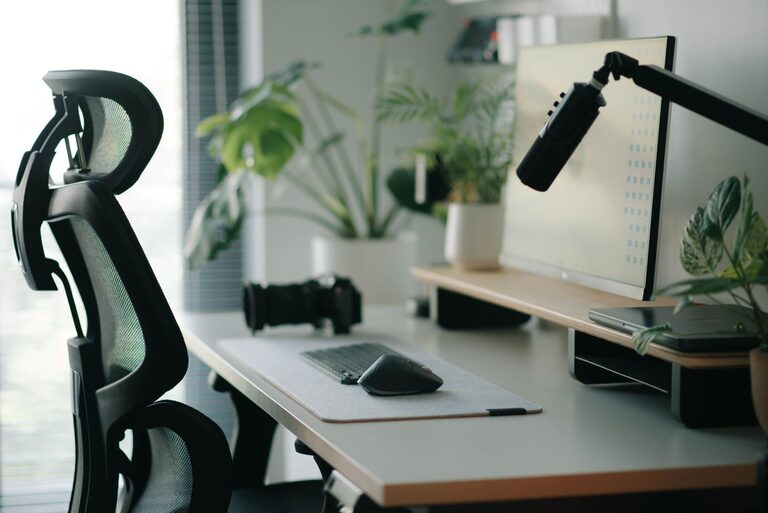
Creating a desk setup that promotes both focus and comfort is essential for anyone who spends significant time working from home or in an office. The right environment can improve productivity, reduce fatigue, and even enhance your mood throughout the day. In this post, we’ll explore practical tips to help you design a workspace that supports your best work while keeping you comfortable.
Choose the Right Desk and Chair
Desk Size and Height
Start with a desk that fits your space and provides enough surface area for all your essentials without feeling cluttered. A standard desk height is around 29 to 30 inches, but adjustable desks or sit-stand desks are great options to customize your setup.
Ergonomic Chair
Investing in a good ergonomic chair can make a huge difference. Look for a chair that supports your lower back, promotes good posture, and allows adjustments in height and tilt. Proper lumbar support helps prevent back pain and encourages sitting correctly.
Position Your Monitor Correctly
Eye Level and Distance
Place your computer monitor so the top of the screen is at or just below eye level. This prevents neck strain from looking up or down. Position the screen about an arm’s length away—roughly 20 to 30 inches—to reduce eye strain.
Use Multiple Screens Wisely
If you use more than one screen, arrange them side by side at the same height, with the primary monitor directly in front of you. This setup minimizes neck twisting and keeps your workflow smooth.
Organize Your Desk Essentials
Keep Frequently Used Items Close
Place items like your phone, notepad, and writing tools within easy reach to avoid unnecessary stretching or distractions.
Declutter Regularly
A tidy desk helps clear your mind and improves focus. Use trays, organizers, or drawers to keep items neatly stored but accessible.
Lighting Matters
Natural Light Is Best
Position your desk near a window if possible to benefit from natural daylight, which can enhance alertness and mood.
Use Task Lighting
Supplement ambient light with a desk lamp to illuminate your work area without causing glare on your screen. Adjustable lamps help direct light where you need it most.
Add Comfort and Personal Touches
Use a Comfortable Keyboard and Mouse
Choose ergonomic keyboards and mice that reduce strain on your wrists. Wrist rests or cushions can add extra comfort.
Consider a Footrest
A footrest can improve posture by supporting your feet, especially if your chair is too high for your legs to rest flat on the floor.
Personalize Thoughtfully
Adding a few personal items like plants, photos, or artwork can make your workspace feel inviting and motivating without causing distraction.
Manage Cables and Power
Cable Management Solutions
Prevent tangled cords by using clips, sleeves, or under-desk trays. A clean cable setup reduces clutter and improves safety.
Easy Access to Power
Arrange outlets and power strips so devices can be plugged in conveniently, avoiding overreaching or awkward positioning.
Incorporate Movement and Breaks
Use a Sit-Stand Desk
If possible, alternate between sitting and standing to reduce fatigue and improve circulation.
Take Regular Breaks
Set reminders to stand, stretch, and rest your eyes every hour to keep energy levels up and prevent discomfort.
Final Thoughts
Creating a desk setup focused on both comfort and concentration doesn’t require a complete overhaul of your workspace. Small adjustments like positioning your monitor correctly, maintaining good posture with an ergonomic chair, and keeping your desk organized can make a significant difference. Combine these tips with good lighting and thoughtful personalization to build a productive and pleasant workspace that supports your daily tasks with ease.